
How to update your bakery page
Five steps, about five minutes, all from your phone. Free — no commission, customers order directly from you.
ඔබේ බේකරි පිටුව යාවත්කාලීන කරන ආකාරය — පියවර පහක්, විනාඩි පහක් පමණ. සම්පූර්ණයෙන්ම නොමිලේ.
-
Step 1
Open your private link
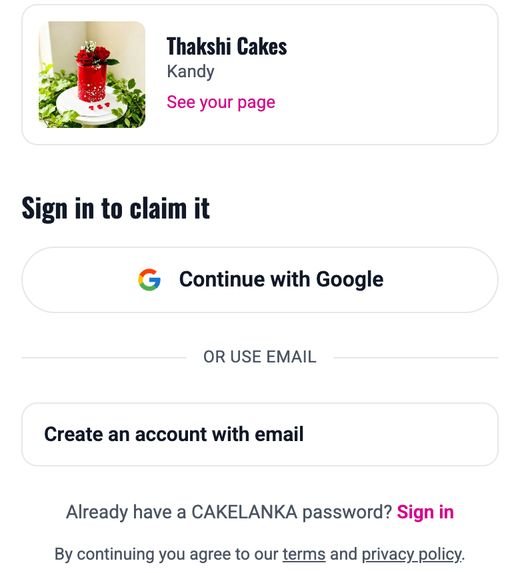
We send each baker a private link on WhatsApp or Messenger. Tap it — you'll see your bakery's page and the options to sign in. The link works once, for 14 days. If it has expired, reply to our message for a new one.
අපි WhatsApp හෝ Messenger හරහා එවූ පුද්ගලික සබැඳිය ඔබන්න. එය දින 14ක් වලංගු වන අතර එක් වරක් පමණක් භාවිත කළ හැක.
-
Step 2
Choose how you'll sign in
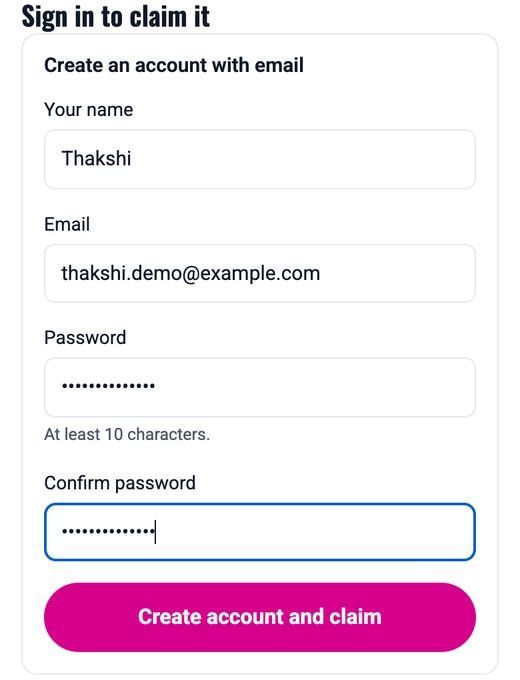
Tap Continue with Google if you use Gmail — the easiest, with no password to remember. Or open Create an account with email and choose your own password (at least 10 characters). This is your login from now on.
Gmail තිබේ නම් "Continue with Google" ඔබන්න. නැත්නම් ඔබේ ඊමේල් සහ මුරපදයක් (අකුරු 10ට වැඩි) දී ගිණුමක් සාදන්න.
-
Step 3
Check your bakery details
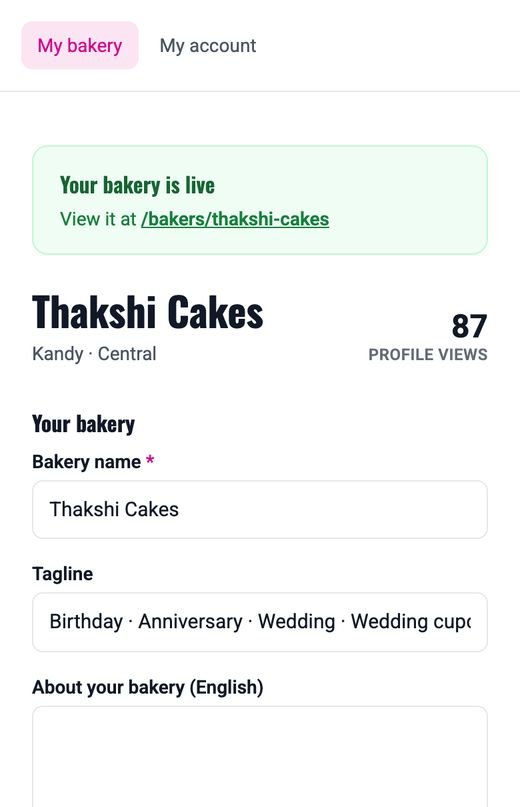
You land on your own page editor. Check your bakery name, a one-line tagline, a few words about your bakery, your town and your WhatsApp number — this is how customers reach you. Tap Save changes at the bottom.
ඔබේ බේකරියේ නම, විස්තරය, නගරය සහ WhatsApp අංකය පරීක්ෂා කර, පහළ ඇති "Save changes" ඔබන්න.
-
Step 4
Add your best cake photos
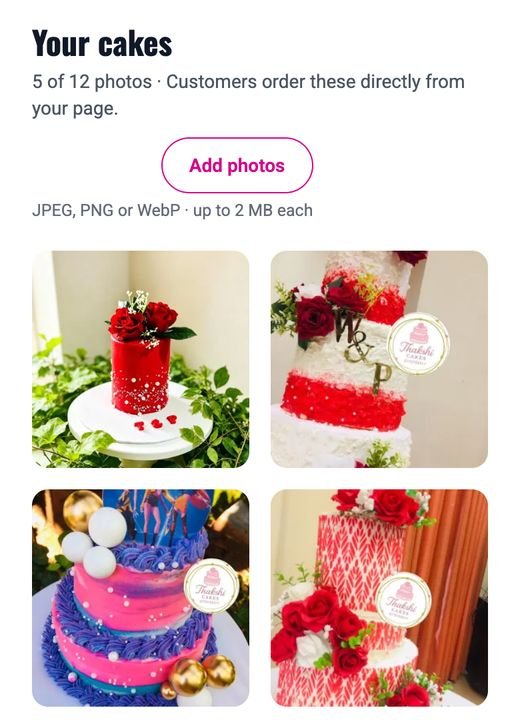
Under Your cakes, tap Add photos and pick up to 12 from your phone (JPEG, PNG or WebP, up to 2 MB each). Use clear photos in daylight — the first photo is the one customers see first.
"Your cakes" යටතේ "Add photos" ඔබා, ඔබේ හොඳම කේක් පින්තූර 12ක් දක්වා එක් කරන්න. පළමු පින්තූරය පාරිභෝගිකයන්ට මුලින්ම පෙනේ.
-
Step 5
Add cake types, prices and delivery areas
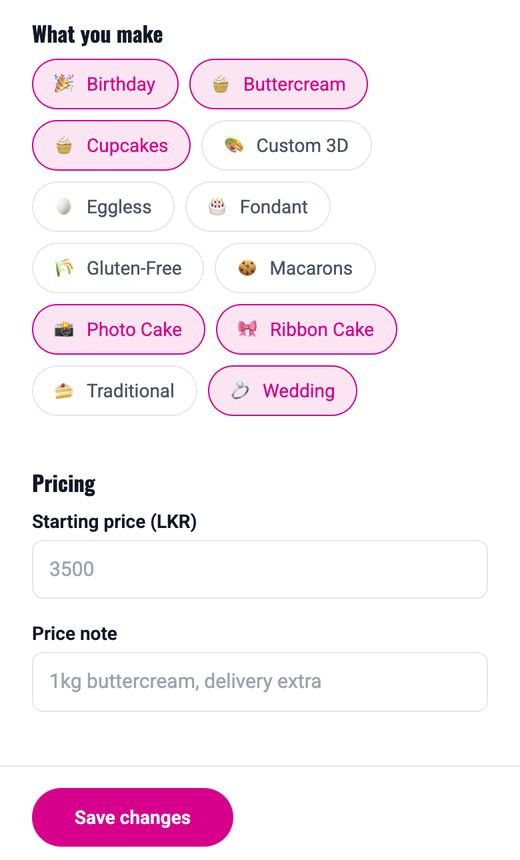
Tick the kinds of cakes you make, add a starting price (for example 3500) with a short note, and choose the towns you deliver to. Customers filter by all three, so filling them in gets you found more. Tap Save changes.
ඔබ හදන කේක් වර්ග, ආරම්භක මිල සහ බෙදාහරින නගර තෝරා "Save changes" ඔබන්න. මේවා පුරවන විට පාරිභෝගිකයන්ට ඔබව පහසුවෙන් හමුවේ.
Share your page
Your page lives at cakelanka.com/bakers/your-bakery-name (it's shown at the top of your editor). Put it in your WhatsApp Status, Facebook and Instagram bio — every customer who finds you there sees your photos, prices and reviews in one place.
ඔබේ පිටුවේ සබැඳිය WhatsApp Status, Facebook සහ Instagram හි බෙදාගන්න.
Signing in later
Go to cakelanka.com/sign-in and use Google or your email and password. Forgot your password? Reset it here — we'll email you a link.
පසුව ලොග් වීමට cakelanka.com/sign-in වෙත යන්න. මුරපදය අමතක නම් "Forgot password?" ඔබන්න.
Stuck? Reply to the WhatsApp message we sent you, or email contact@cakelanka.com.